
Disk
Section The disk is intendeddesigned for managing disk space.
The data storage architecture in the application is structured as follows:
- Packages SCORMfiles (videos, images, pdf), which are added to lessons, tests, courses - are stored on the application developer's servers. Data related to statuses, settings, reports, notifications (operational data) - are stored in the database on the developer's servers. Daily data backup is configured on the server, so all data is secure.
1 gigabyte is provided for free in the cloud. This is enoughsufficient to create a large number of courses, tests, 360-degree assessments, IDP, etc. However, if there is a need to upload a large amount of SCORM- packages, video, PDF- or JPGIf thereyou are insufficientrunning files,out itof isdisk necessaryspace, you need to expand the disk space or delete unnecessary files.
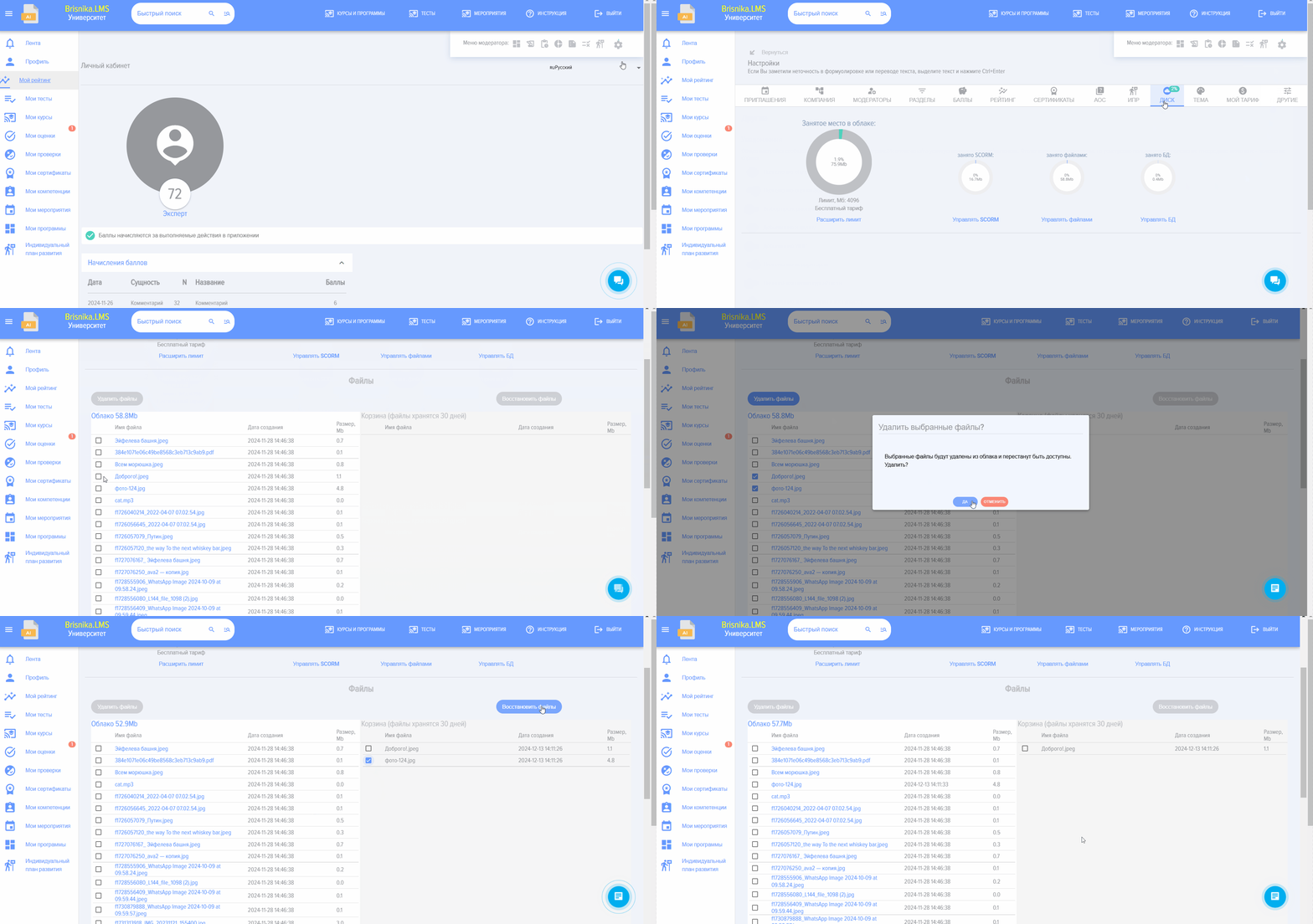
To removedelete unnecessary files:
Open Section to manage SCORM, filesfiles, or databases
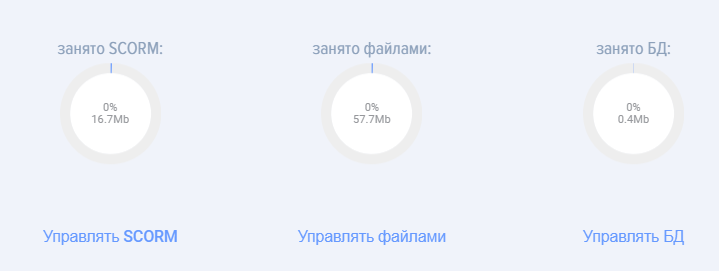
Select unnecessary files and delete them. Deleted files will be moved to the trash.Recycle Bin. Files in the trashRecycle Bin will be automatically deleted after 30 days. You can also restore deleted files from the trash.Recycle Bin.
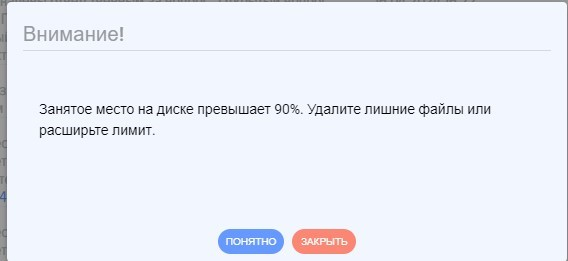
If the Disk runs out of space, the application will issue a warning (when more than 90% is occupied).
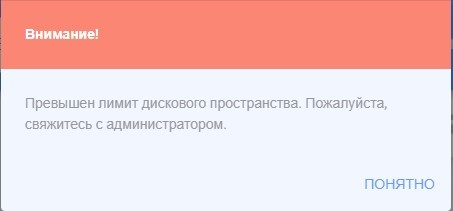
After exceeding the limit, the application will be blocked and display the following message:
To expand disk space:
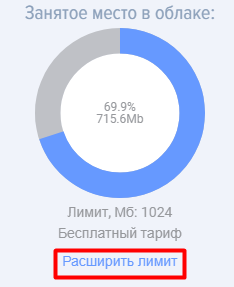
Click on Expand limit
Select your country 
Select Plan, fill out the application.
Then, depending on your country and payment method:
- For some countries, payment documents
for paymentwill be automatically generated. - For other countries, pay through the suggested service.
After payment, theThe tariff plan is activated automatically.automatically after payment.