Rating and points
The general workflow diagram is presented in the "Gamification. General mechanism».
Points are a gamification element implemented to engage employees.
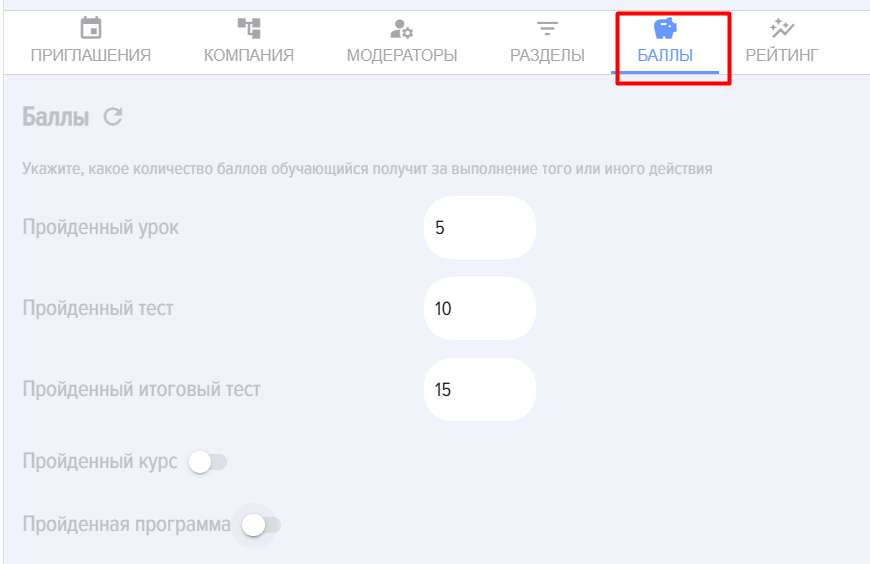
When "Completed Course" is activated, the following settings appear:
- Scoring calculation method. There are two options:
- By summing up the points for the modules. That is, the overall Score for Course will be equal to the sum of the points for all lessons and tests in the course.
- Manual input. Points are entered manually when creating a course. Regardless of the number of points for each Course and Test within the course, the manually entered number of points will be awarded for completing Course.
- Accrual of points for modules:
- Do not award points. Only points for Course will be counted, and points for modules within the course will not be awarded.
- Award points. Points will be awarded for both Course and for each module within the course.
- Points - how many points will be awarded for completing Course.
Similar settings will be applied when activating "Completed Program".
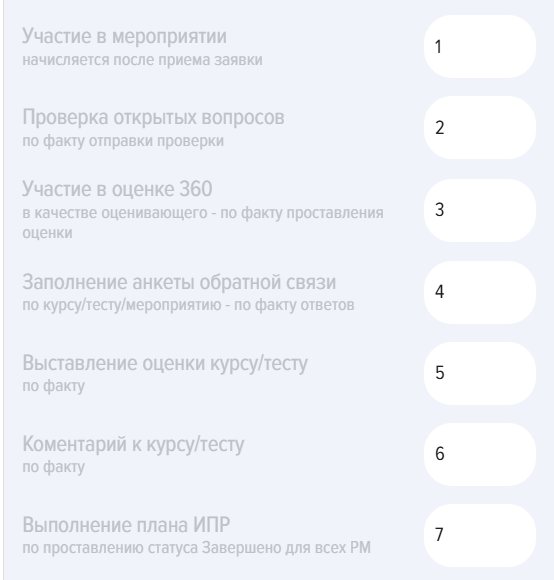
Additionally, points can be assigned to the following actions in the application:
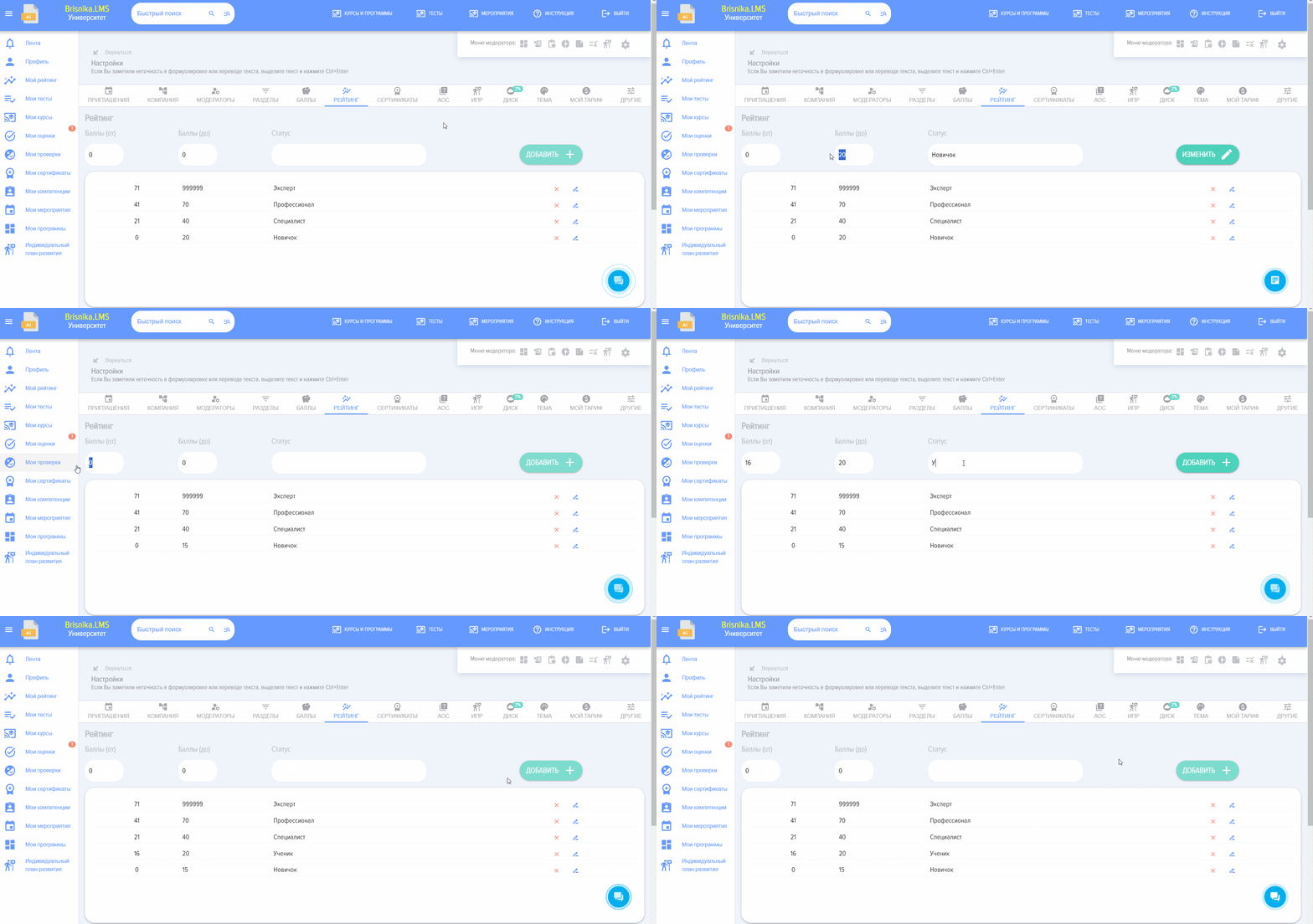
Ratings - Status of the learner, displayed in their profile.
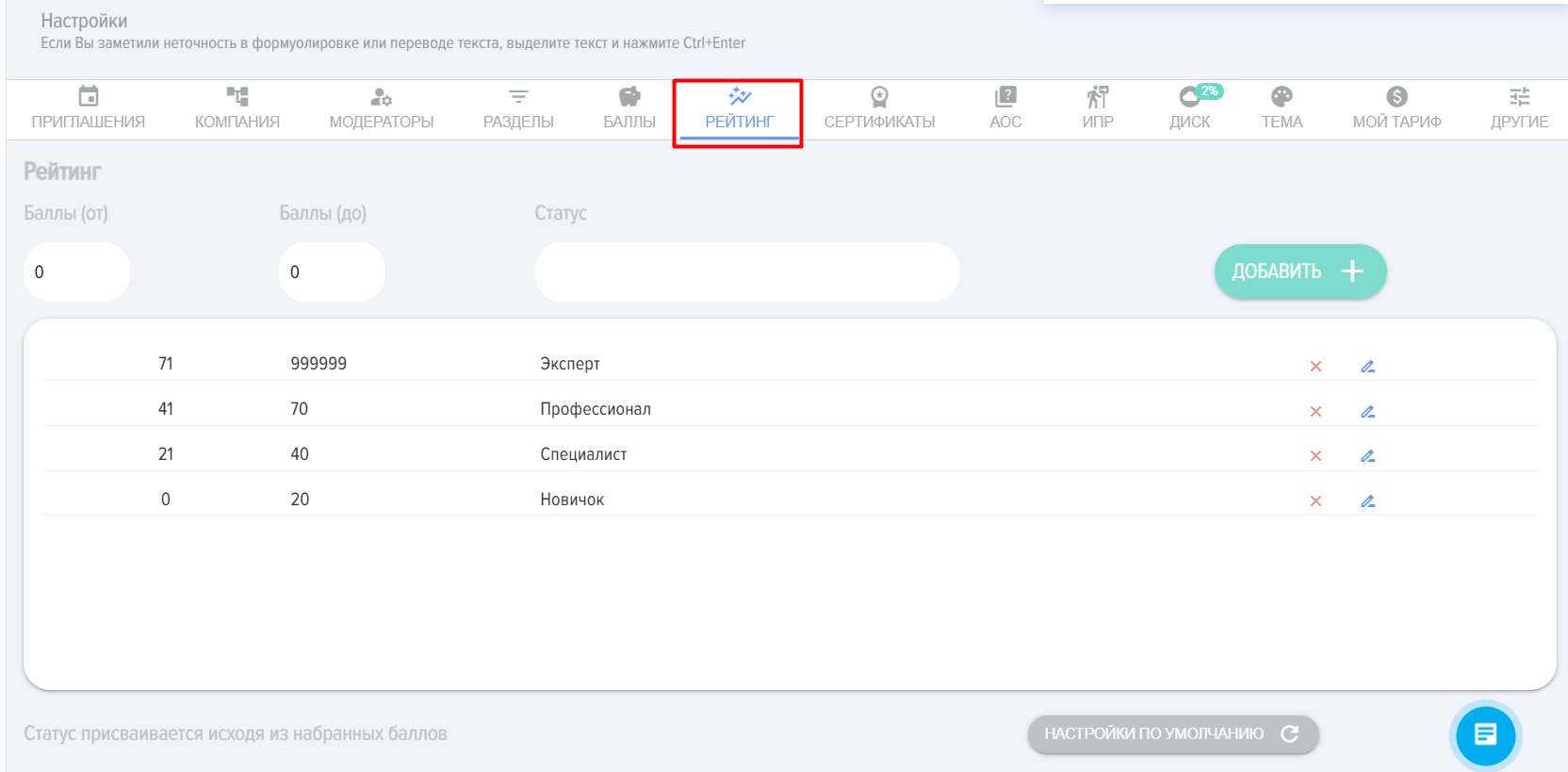
You can add, delete, and edit existing rating levels.
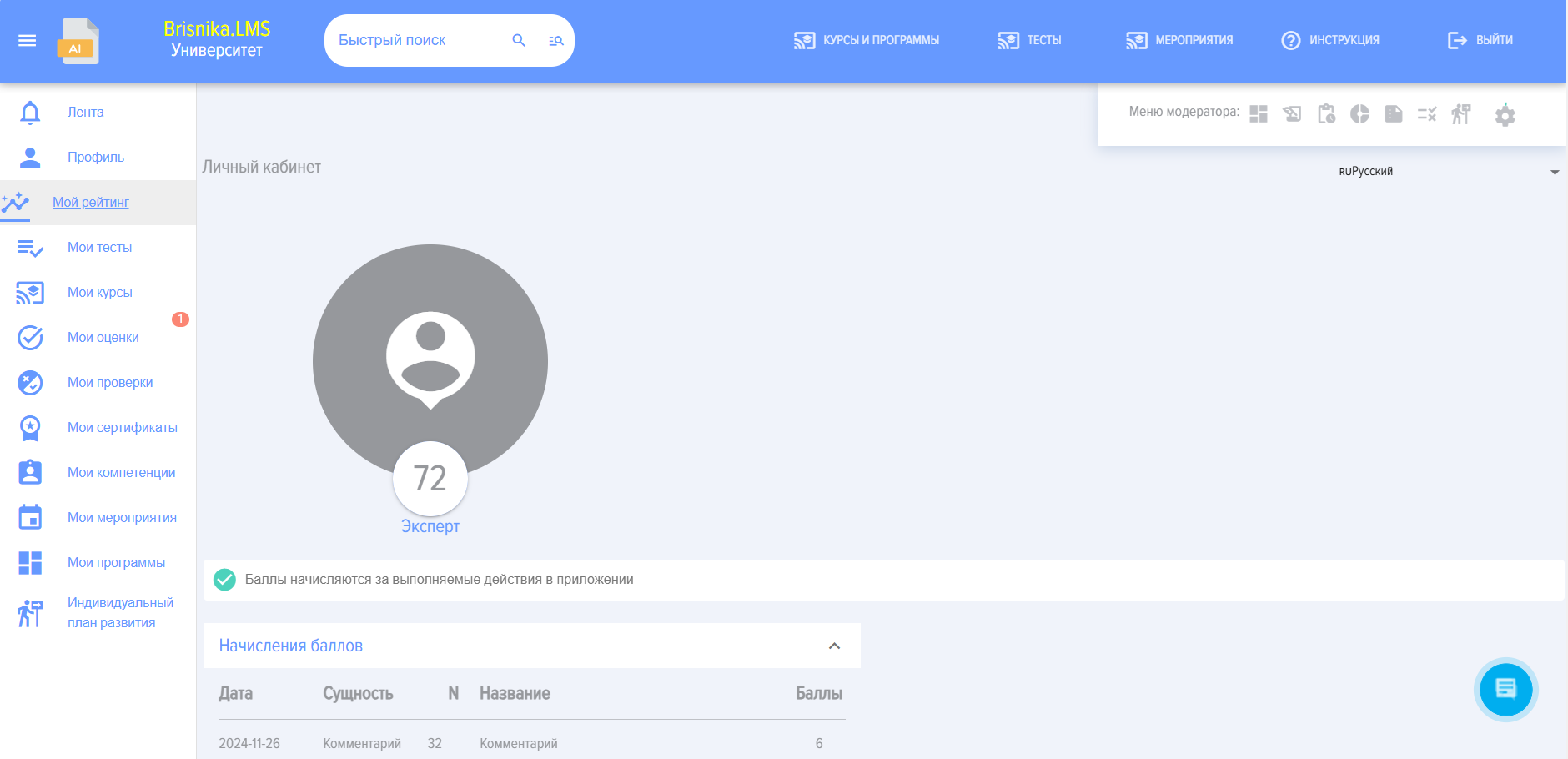
Earned points and Rating are displayed in the "My Rating" tab of the employee's personal account: