
My grades
1. In The tab contains 4 blocks:
- Block for formations list of evaluators (
topupper Block); - Block for conducting assessment and self-assessment (tab "I
am-Evaluator); - Block с assessment results
of the assessment(tabTab "Me -Evaluated). If theoption"Publish in the evaluateduser'person's personal account" option is selected when creating theevaluation,assessment, the results will be in this tab; - Block for coordination
Listlist of approvers, if the employee is selected as an approver.
Reference. Formation of the list of evaluatedassessed and evaluators.assessors.
The evaluated individuals are always entered by the application moderator (Moderator Menu - Assessment 360). TheEvaluated evaluatedindividuals are added when creating a new 360360-degree evaluation. The formation of evaluators is possible in two ways:
Self-assessed.MostAssessedhighlyindividualsrated. The rated must alsoselectchoose. matching (as a rule, the immediate supervisor) this list. Assessment will be launched after the lists are formed and approved.- Moderator. When creating an assessment.
2. Block for formation of the list of evaluators by the evaluatedAppears when an employee is selected as the subjectassessed in a 360-Degree360 ReviewAssessment and the "Subject-GeneratedAssessed's EvaluatorReviewer List"List Creation" parameter is set in the review.assessment.
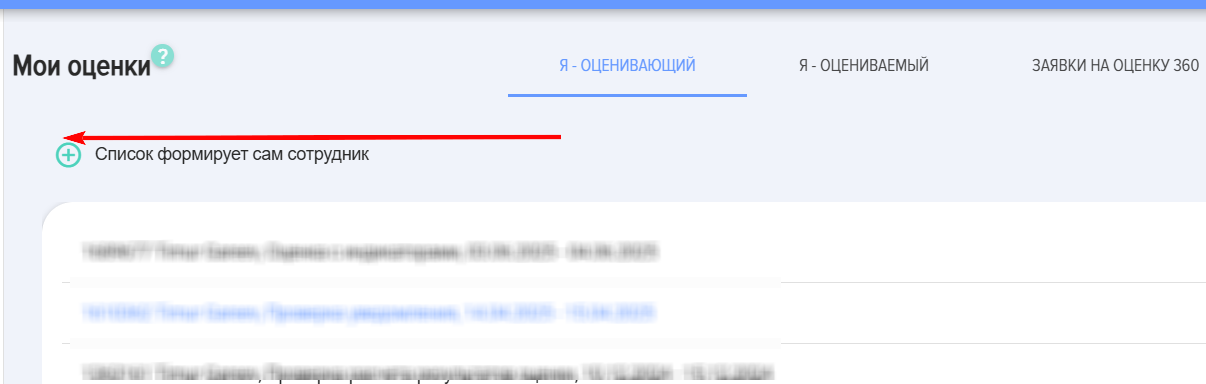
If the moderator has activated the option "Formation of the list of evaluators by the evaluated»
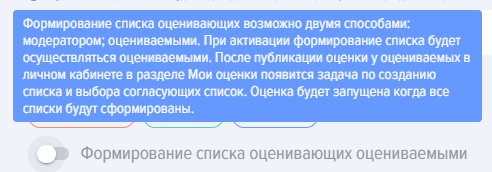
the employee selected as the subjectevaluated of evaluationperson in this block will have an element forto creatingcreate a list of evaluators and approvers for this list:
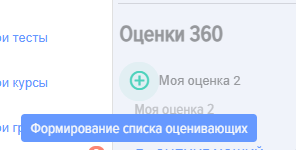
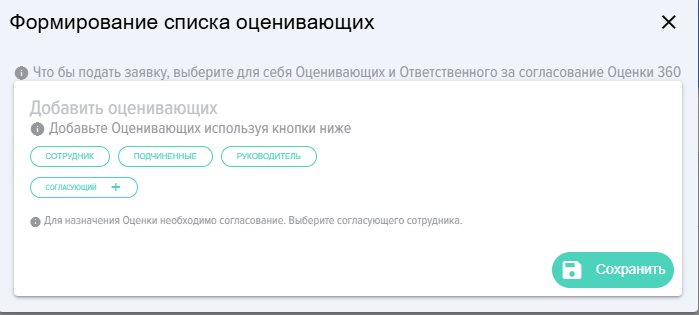
To create a list, click on the plus sign and in the opened form, add the list of evaluators and approvers:approvers to the list:
3. Block "I am Evaluator».
In this block, the employee acts as an evaluator and assigns ratings to those employees for whom they have been selected as thean evaluator.
Assessment is presentedrepresented as a dropdown list withcontaining the name of the person being evaluated, the title, and the evaluation period.
After submitting the grade,rating, you can enter comments that will be added to the report.
Reference. Competency management model in the application.
The application allows creating a single-level or two-level competency model.
Single-level competency model:
- Competence 1
- Competence 2
Two-Level Model:
- Competence 1:
- Manifestation Indicator 1.1
- Manifestation Indicator 1.2 - Assessment
- Competence 2:
- Manifestation Indicator 2.1 - Assessment
- Manifestation Indicator 2.2 - Assessment
Rating scales.Scales. The application allows creating an unlimited number and any typetypes of rating scales.
4. Block "I am Evaluated».
The section presents the results of the employee's evaluationsassessments when they were in the role of the evaluated.assessed. The results will be available only if the moderator activated the option when creating the evaluation:assessment:

The results contain the following information:
- Name of the person being evaluated, title and dates of the evaluation;
- Used Rating Scale;
- Number of respondents who participated;
- Evaluation results (average values);
- Comments.
5. Block 360 360-Degree Feedback Requests.
In the casecases where the evaluation list of evaluators in the assessment is formed by thethose evaluatees,being evaluated, the evaluateesevaluated must,individuals must also select approvers in addition to the list itself,itself. selectThese approvers.are Employeesemployees who will approve this list. Typically, this is the immediatedirect supervisor of the evaluatee.person being evaluated.
If an employee is selected as an approver, then in this section, Assessment will appear with thea list that needs to be approved. Coordinator can approve the list, make adjustments to it, or not approvereject it.
More detailed mechanisms of the 180/360 evaluationassessment module operation are presented in the section "Assessment 180/360».
Assessment statuses in the Personal Account:
- Your Assessment is required;
- Assessment
isgiven.