
Certificates
Section allows you to load your own Certificate and configure data output.
Certificates are issued upon completion of the course or test, provided that when creating the course/The test selected the option "Issue Certificate".
All certificates obtained by the employee are displayed in the personal account under the My Certificates tab.
Adding a certificate:
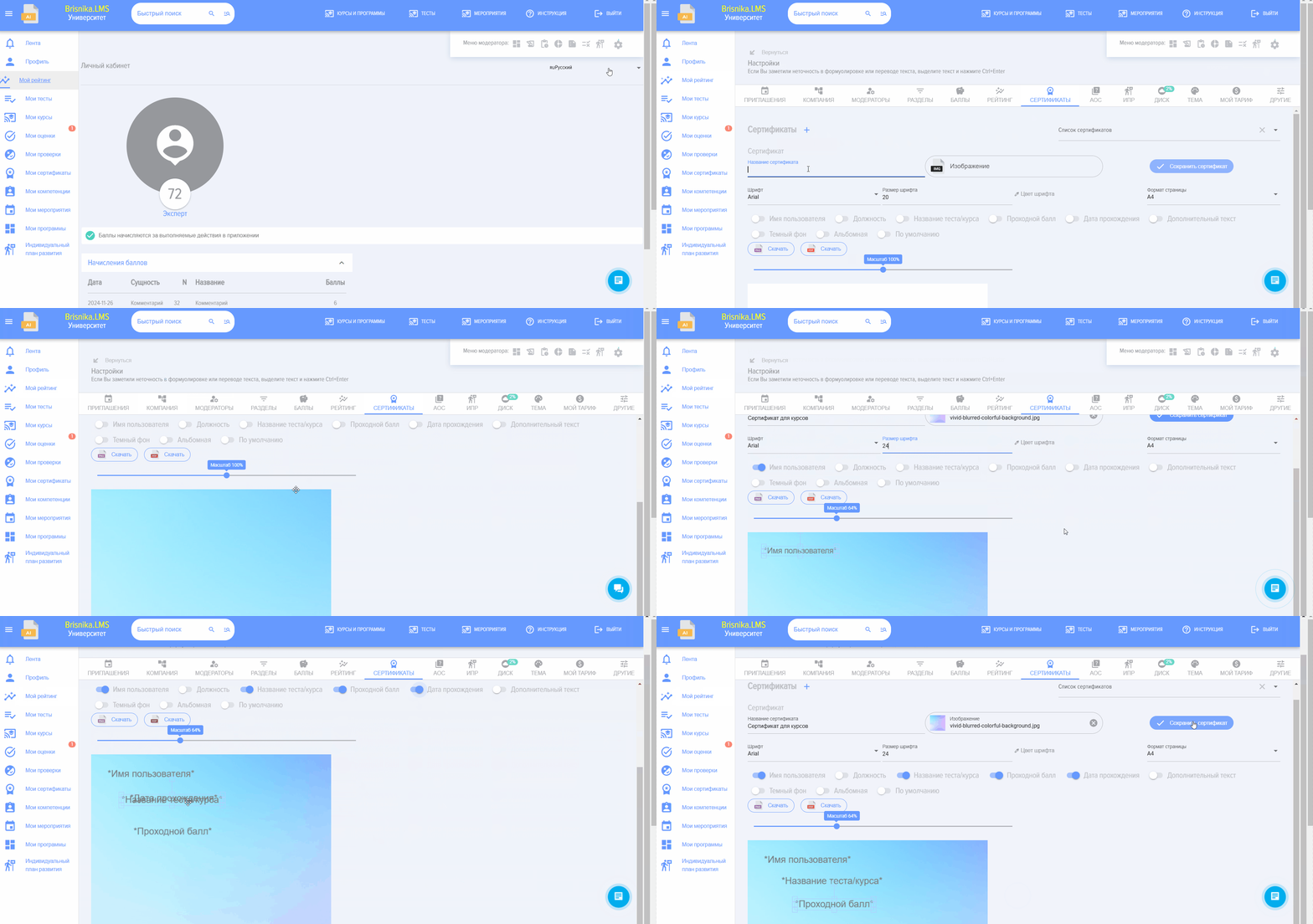
- Prepare your certificate template in advance.
- Upload the pre-prepared certificate template in the field Certificate

- Select the data to be displayed on the certificate (user name, position, course/test name, passing Score, completion date, additional text). If you select "Additional text", you must enter it. Place the data in the appropriate location on the certificate.

- To control the certificate scale, move the slider.

- Select font, size, and font color.

- Select background and orientation (portrait, landscape)

- Save Certificate. When creating a course/test, this Certificate can be selected in a special section.
 - Certificate By Default. If enabled and no Certificate to be issued is selected when creating a course/test, the Certificate By Default will be used.
If no certificates are selected and By Default is not specified, the first created one will be issued.
Certificates for courses are issued - if Course is completed, and Test Passed. Course cannot be marked as completed without successfully passing all tests.
Certificate issuance for tests occurs if Test successfully Passed.
Frequently Asked Questions
Question: МWe want to assign certificate issuance for Completion courses. However, there is no field to add certificates in the course creation/editing card.
Answer:
This is because the "Certificates" module is deactivated in the section. Activate the "Certificates" module in the section: Settings - Application Settings - More - Additional Modules.
Question: МWe are uploading a certificate template in PDF format, but an error occurs or a blank page is displayed.
Answer:
Certificate templates can only be uploaded in JPEG format. Convert your template from PDF to JPEG format and then add it.