
Assigning tasks
Once the practice is approved tasks can be assigned to it. This can be done:
- From the main page.
- From the idea card.
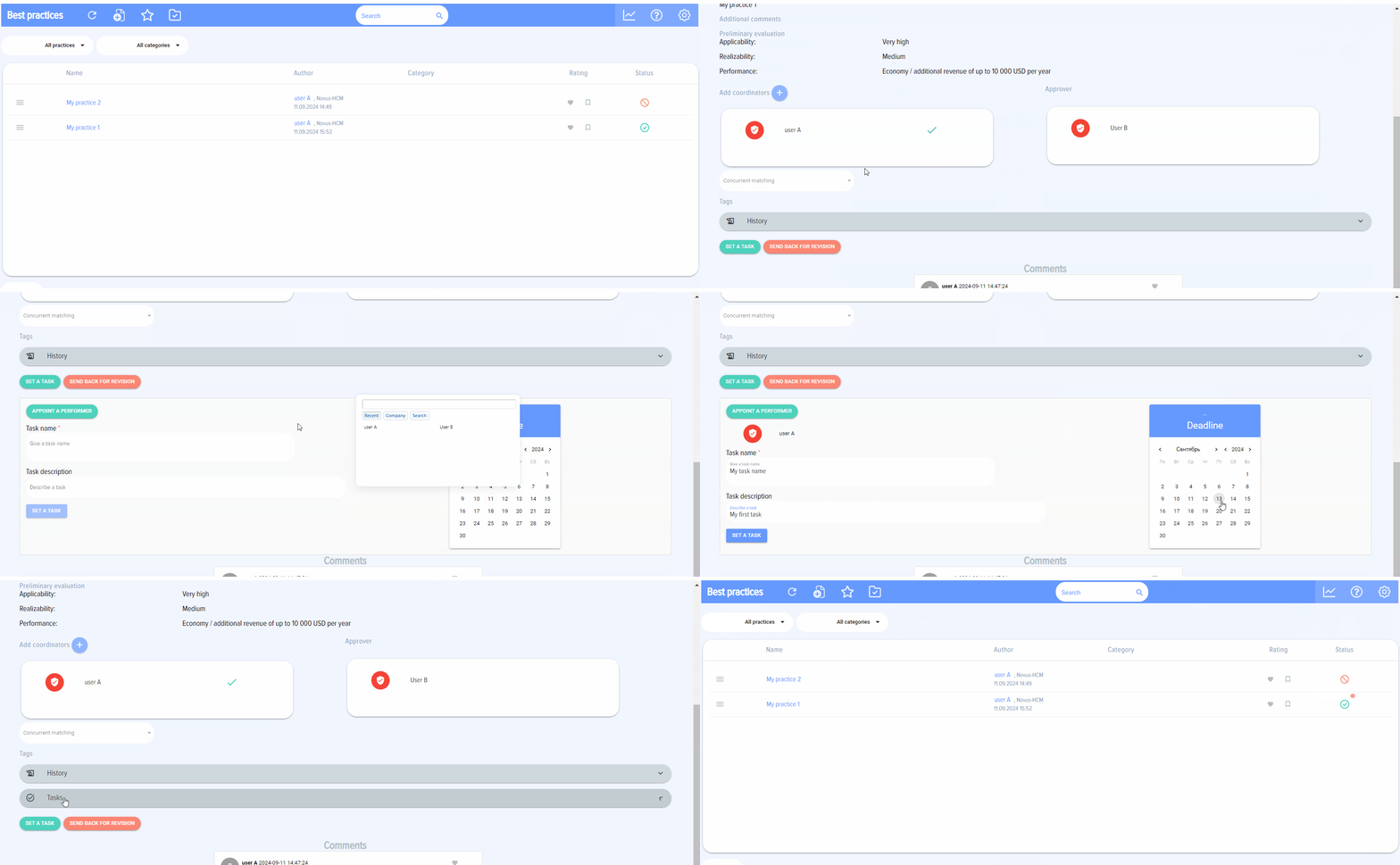
Only the Approver can assign tasks. Tasks are assigned only to approved practices.
When you click on the "Set task" button a window for setting a task will appear.
Assigned tasks are integrated with Bitrix24 tasks and will be available in the "Tasks and Projects" section of your Bitrix 24.

If a practice has tasks it has status Tasks: 
When all tasks are completed the icon becomes green - "All tasks are completed".